SQL just learned to find patterns: MATCH_RECOGNIZE, explained simply
One clause now finds sequences in your rows. No more chains of self joins and window functions to ask what happened in what order.
SQL has always been good at answering questions about groups.
How many orders did we ship last month? What is the average order value per region? Which customers spent more than a thousand dollars? These are questions about sets of rows, and SQL handles them well.
But some questions are about order.
Which users failed to log in five times and then succeeded? Which sessions had two product views, one add to cart, and then silence? Which machines showed a rising temperature followed by a vibration spike?
If you have tried answering these with standard SQL, you know the experience. You end up chaining common table expressions, self joins, and window functions. Each step adds a small rule. None of them states the actual thing you are looking for: a sequence.
Databricks introduced a new SQL operator this week that addresses exactly this. It is called MATCH_RECOGNIZE. Databricks announced it on September 16, 2026, in Public Preview, and describes it as "like a regular expression for rows."
This article explains what it does, why the old way was painful, and how to write your first pattern query.
The BricksNotes view: most sequence questions in SQL are business questions. The closer your query text is to the business pattern, the easier it is to trust, review, and maintain. That is the real value of MATCH_RECOGNIZE.
The problem existed before this feature
Imagine a login table with three columns: user_id, event_time, and status, where status is either SUCCESS or FAIL.
You want to find users with several consecutive failures followed by a successful login. This is a classic suspicious-activity question.
The first instinct is to count failures per user.
SELECT
  user_id,
  COUNT(*) AS failure_count
FROM logins
WHERE status = 'FAIL'
GROUP BY user_id
This answer is not wrong, but it is incomplete. It cannot tell you whether the failures happened within one hour or spread over a month. It cannot tell you whether a successful login followed them. It also cannot tell you which failures belonged to the same attempt.
SQL treats rows as an unordered set of facts. The table has a timeline only because your columns carry one. The language itself has no idea what "in a row" or "right after" means.
So engineers reached for workarounds.
The workarounds all look similar
A typical sequence query chains several steps together.
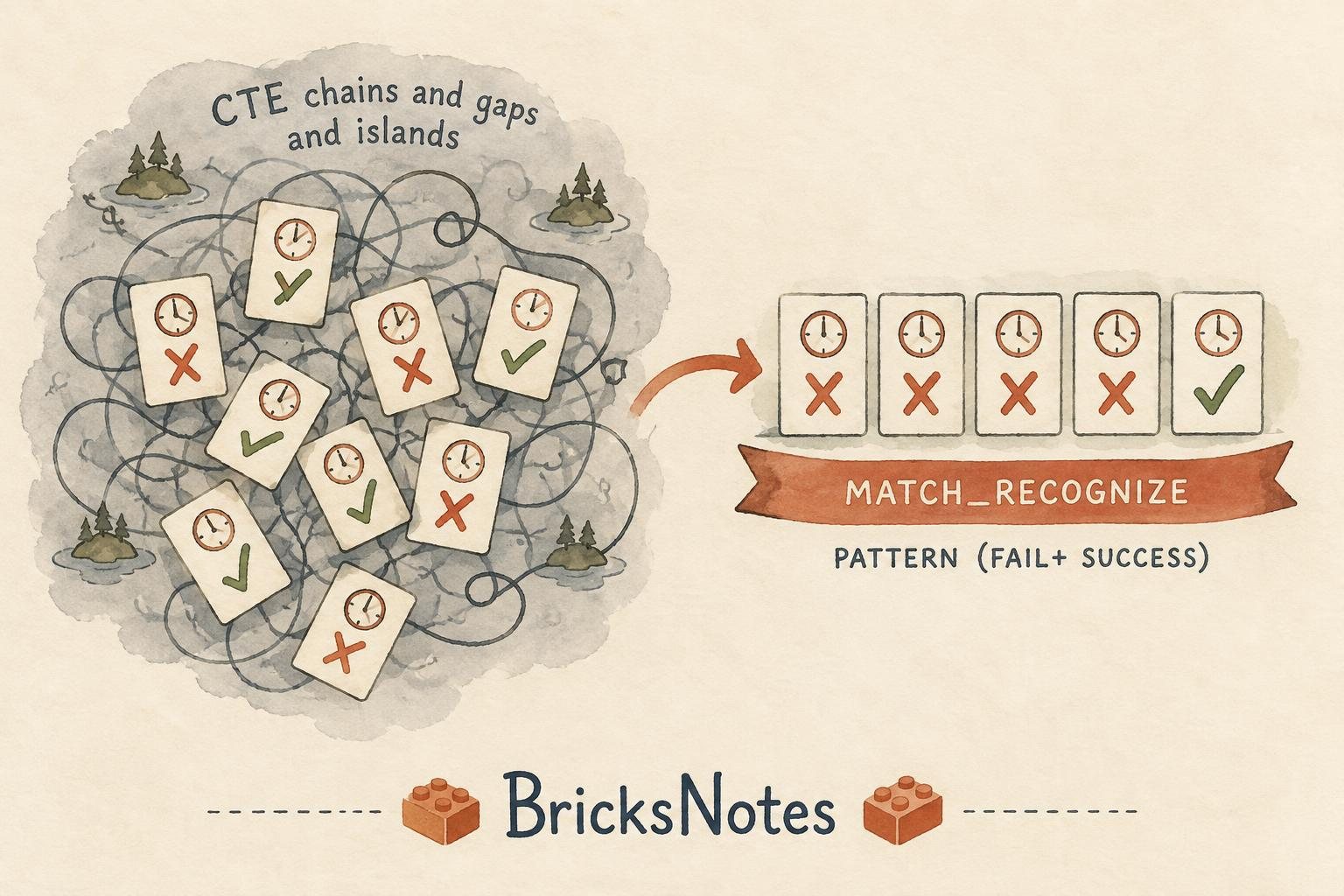
You might anchor a time window to the first failure. Then you might use LAG() to compare each row to the previous one. Then you might build a running counter that increments whenever the direction or state changes, so each stretch of similar rows gets a group id. This technique has a well-known name: gaps and islands.
For proving that nothing happened after an event, it gets harder. There is no "abandoned" row in the table. You end up writing NOT EXISTS subqueries or self joins to show silence after a point in time.
None of this code is advanced on its own. Together, it becomes scaffolding that is hard to read, hard to review, and easy to get subtly wrong. The business rule lives in the reader's head, not in the query.
What MATCH_RECOGNIZE actually is
MATCH_RECOGNIZE is a SQL clause that scans rows in order and looks for a pattern, similar to how a regular expression scans text.
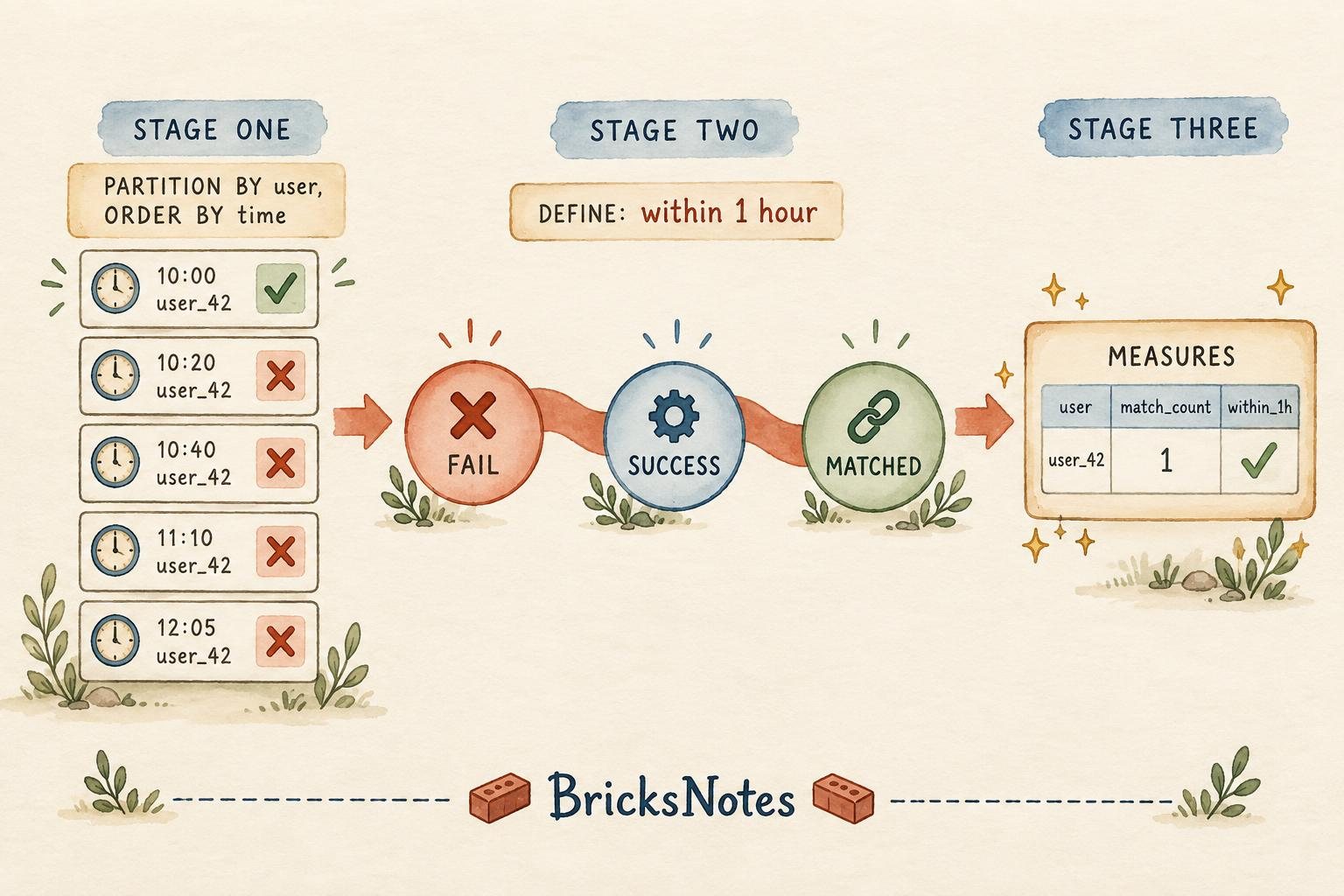
You tell it four things:
- How to group the rows.
PARTITION BYkeeps each user, device, or symbol independent. - What order to scan.
ORDER BYusually follows an event time. - The shape you want.
PATTERNdescribes the sequence using regex-like symbols. - What each step means.
DEFINEgives the condition for each named state in the pattern.
MEASURES then decides what to output when a match is found.
Here is the login example, written as one query:
SELECT
  user_id,
  first_failure_time,
  success_time,
  failure_count
FROM logins
MATCH_RECOGNIZE (
  PARTITION BY user_id
  ORDER BY event_time
  MEASURES
    FIRST(FAIL.event_time)      AS first_failure_time,
    LAST(SUCCESS.event_time)    AS success_time,
    COUNT(FAIL.*)               AS failure_count
  ONE ROW PER MATCH
  AFTER MATCH SKIP PAST LAST ROW
  PATTERN (FAIL{3,} SUCCESS)
  DEFINE
    FAIL AS FAIL.event_time <
      FIRST(FAIL.event_time) + INTERVAL 1 HOUR
)
Read the pattern line out loud: one or more failures, followed by a success. That is the business rule, written almost as spoken.
The DEFINE clause adds the discipline. Every failure must fall within one hour of the first failure in the match. Notice that FIRST(FAIL.event_time) is anchored to the start of the match, so the window moves with each sequence instead of being fixed to the whole table.
What the clauses mean, one by one
If this is your first time seeing the clause, the pieces can look dense. They are simpler than they appear.
PARTITION BY user_idmeans the pattern resets for each user. Events from different users never mix.ORDER BY event_timegives the scan a timeline. This is the part plain SQL never had.PATTERN (FAIL{3,} SUCCESS)is the sequence.{3,}means at least three repetitions, just like regex.DEFINEdefines each symbol. Without a definition, a symbol means "any row", which is rarely what you want.ONE ROW PER MATCHsays each found sequence produces one summary row. There is also an option to output every row of the match.AFTER MATCH SKIP PAST LAST ROWprevents overlapping matches. Once a sequence matches, the scan continues after it.
These options give you control. You decide what counts as one match and what happens after one is found.
Proving that nothing happened
Some of the most valuable business questions are about events that did not happen.
A product manager wants to find shoppers who viewed a product at least twice, added it to the cart, and then went quiet. High intent, no purchase. These users are worth a reminder, and the pattern is worth measuring.
The difficulty is the silence. There is no ABANDONED event to match. In traditional SQL you prove a negative with NOT EXISTS, self joins, and enough idle time to call the session abandoned.
MATCH_RECOGNIZE has a direct answer. The $ symbol anchors to the end of the partition, meaning nothing came after.
SELECT
  user_id,
  cart_time
FROM clickstream
MATCH_RECOGNIZE (
  PARTITION BY session_id
  ORDER BY event_time
  MEASURES
    LAST(ADD_TO_CART.event_time) AS cart_time
  ONE ROW PER MATCH
  PATTERN (VIEW{2,} ADD_TO_CART $)
  DEFINE
    ADD_TO_CART AS TRUE
)
The pattern reads: two or more product views, an add to cart, and then nothing. In production you would add an idle-time filter, for example requiring the session to still be inactive several hours later. But the core idea fits in one line instead of a chain of negative subqueries.
Trend detection in sensor data
The third common shape is a trend: something rising toward a threshold, then a spike.
Predictive maintenance uses this constantly. A machine's temperature climbs steadily, then vibration jumps. Each step alone looks normal. The sequence is the warning.
Inside DEFINE you can use PREV and NEXT, which work like LAG and LEAD but live in the pattern language:
PATTERN (RISE{3,} SPIKE)
DEFINE
  RISE  AS temperature > PREV(temperature),
  SPIKE AS vibration > 2 * PREV(vibration)
Each row is compared to the previous row, three rising steps in a row trigger the pattern, and the vibration spike confirms it. No island building, no group id counters.
When should you reach for it?
A simple rule of thumb helps.
Use window functions when the question is about values: running totals, moving averages, rankings, and time-windowed counts. They remain the right tool, and they are widely supported.
Use MATCH_RECOGNIZE when the question is about order: something happened, then something else, within a boundary, and the sequence itself is the signal.
A few signals that a pattern query is the better fit:
- the requirement literally says "consecutive", "followed by", or "then";
- the current solution needs three or more CTEs to express one rule;
- you are proving that an event did not happen;
- reviewers keep asking you to explain what the query does.
For background on the underlying scan patterns, the BricksNotes guide to window thinking in queries and the lesson on data quality checks are good companions.
Trying it in your workspace
Status matters here, so it is worth being precise.
MATCH_RECOGNIZE is in Public Preview on Databricks compute, including the real-time SQL engine, as of the September 16, 2026 announcement. Public Preview means the behavior, availability, and support terms can still change.
This is a SQL engine feature, not a paid-tier governance feature. If your workspace runs a recent runtime, the clause may simply work in a SQL cell or notebook. If the clause is not yet accepted in your environment, the concepts still transfer. Pattern syntax like PATTERN and DEFINE follows the SQL standard, so what you learn here applies to other engines that implement it.
If you are learning on the Free Edition, this is a good exercise regardless: build a small logins table, write the traditional CTE version first, then write the MATCH_RECOGNIZE version. Comparing the two side by side teaches more about SQL's model of time than either query alone.
If you are new to the workspace itself, start with the workspace essentials lesson and the free start here course.
Where this fits in a pipeline
Pattern detection is rarely the whole job. It is usually one stage in a flow you already know.
In the medallion structure described in the medallion architecture lesson, raw events land in bronze, get cleaned in silver, and become business-meaningful tables in gold. MATCH_RECOGNIZE belongs in the gold layer or in a serving job. Bronze rows are too raw to trust, and matching needs clean statuses and reliable timestamps.
It also pairs naturally with the topics covered in recent BricksNotes articles:
- If your events arrive as a stream, stateful streaming and state repartitioning covers what happens when the sequence engine has to remember across micro-batches.
- If you process only new events instead of full recomputes, incremental processing explains the mindset.
- If your matched rows feed alerts, the pipeline observability runbook covers what to watch when those alerts fire.
- And if a matched pattern triggers an automated action, agent memory versus business state explains why the state change itself must live in a governed system of record.
There is a deeper connection to how we think about data engineering at BricksNotes. A pattern is context. Writing PATTERN (FAIL{3,} SUCCESS) puts the business meaning directly into the query, where the engine and every future reader can see it. Scattered CTEs hide the same meaning across five steps. This is the same instinct behind The Context Advantage: models and engines get better every year, but the teams that encode their own meaning clearly are the ones that move faster.
A short practice plan
If you want one hour of practice, this sequence works well:
- Create a small login events table with about twenty rows, including one suspicious sequence and one clean user.
- Write the failure count query. Notice what it misses.
- Write the same requirement with window functions and a time anchor. Feel the scaffolding grow.
- Write the
MATCH_RECOGNIZEversion. Compare the output rows. - Change the requirement: five failures within thirty minutes. Change one line, not five.
That last step is the point. A rule that changes in one place is a rule your team can trust.
Sources
- Databricks blog, September 16, 2026: "Regex for Rows": Simplifying Pattern Detection in SQL with MATCH_RECOGNIZE by Kent Marten and Sergei Fedorov.
- The Databricks SQL reference documentation for advanced pattern syntax, quantifiers, and measure aggregates.
Continue learning
- New to Databricks? Start the free Start Here course and the BricksNotes book, Thinking in Data Engineering with Databricks.
- Build the foundation: workspace essentials, DataFrames, and Unity Catalog.
- Go deeper on related ideas: medallion architecture, structured streaming, and data quality.
- Recent explainers you may like: Genie Ontology and shared context, liquid clustering versus partitioning, and slowly changing dimensions.